Android
-
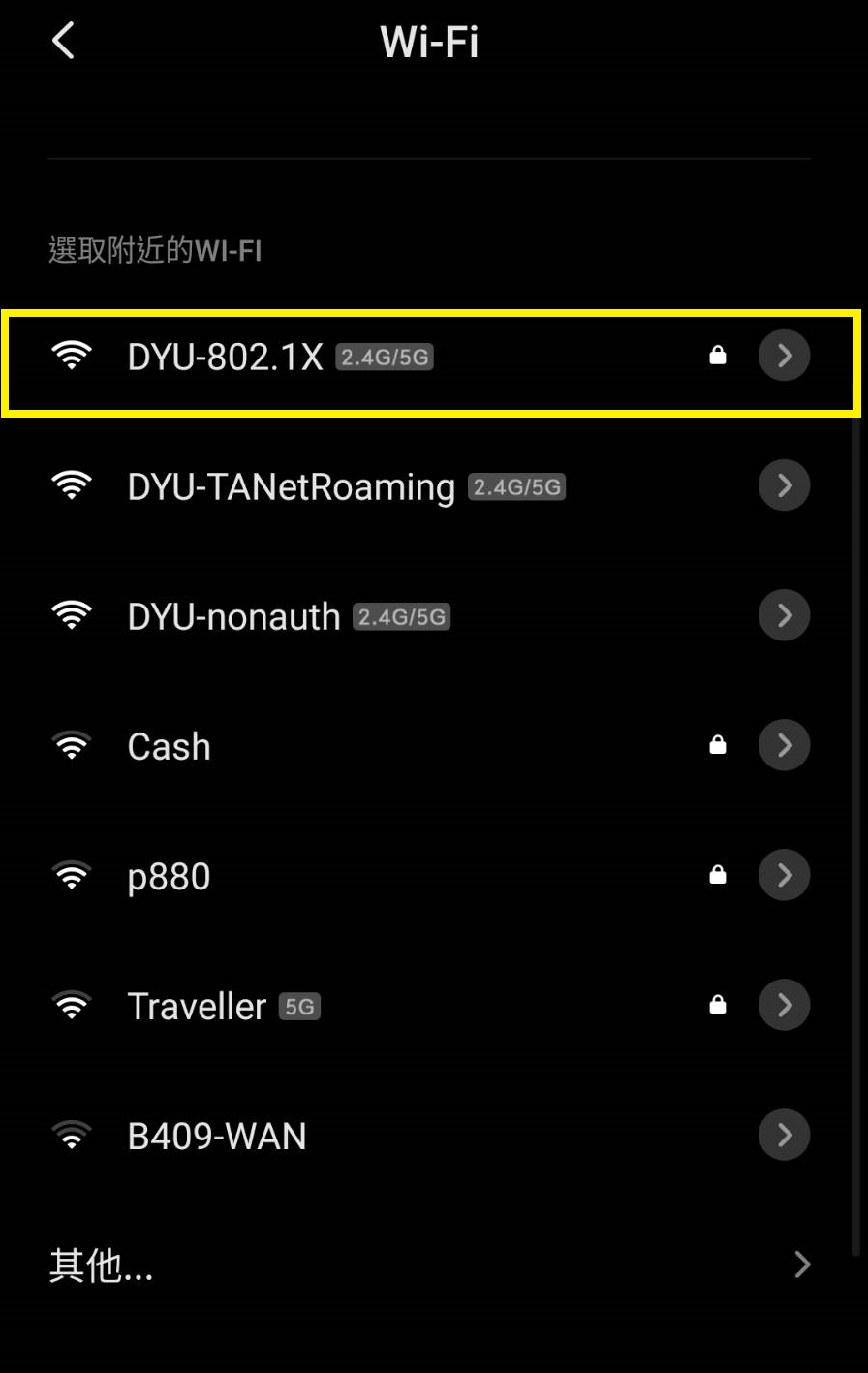
開啟 Wi-Fi 連線,選擇網路名稱(SSID):DYU-802.1X 的網路並連線。
Turn on Wi-Fi and select the network(SSID): DYU-802.1X to connect.
-
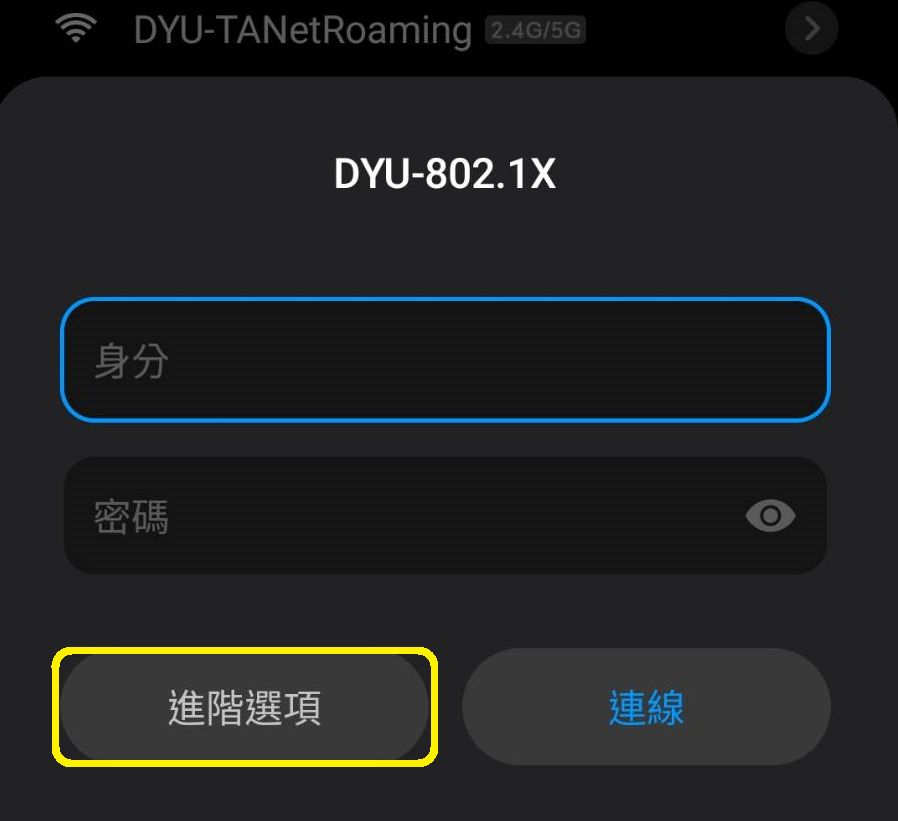
點選「進階選項」。
Tap "Advanced options."
-
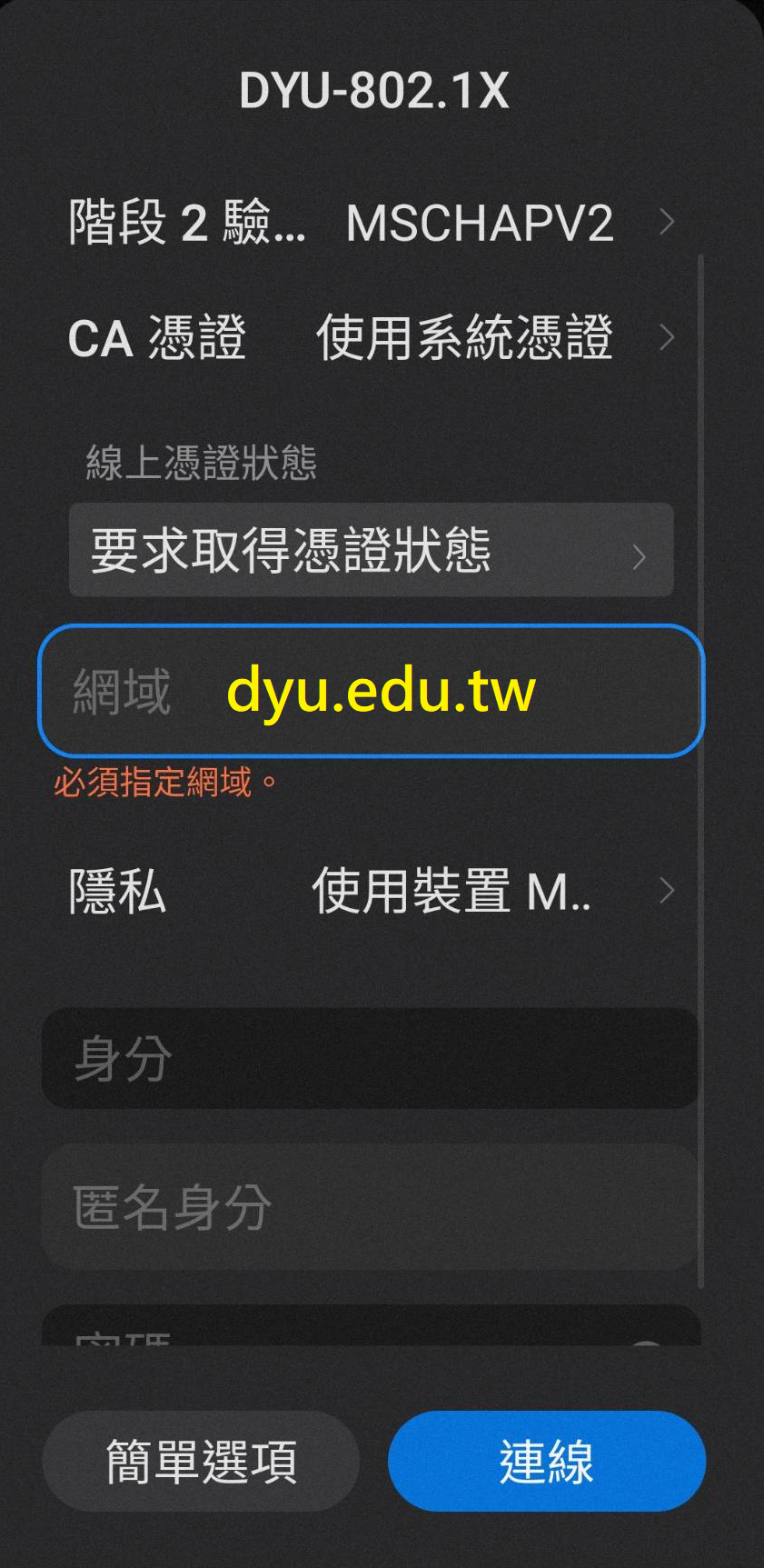
選擇或輸入以下資訊:
Select or enter the following settings:
-
EAP 方法:PEAP
EAP method: PEAP
-
階段 2 驗證:MSCHAPV2
Phase 2 authentication: MSCHAPV2
-
CA 憑證:使用系統憑證
CA certificate: Use system certificates
-
線上憑證狀態:要求取得憑證狀態
Online Certificate Status: Request certificate status
-
網域:dyu.edu.tw
Domain: dyu.edu.tw
-
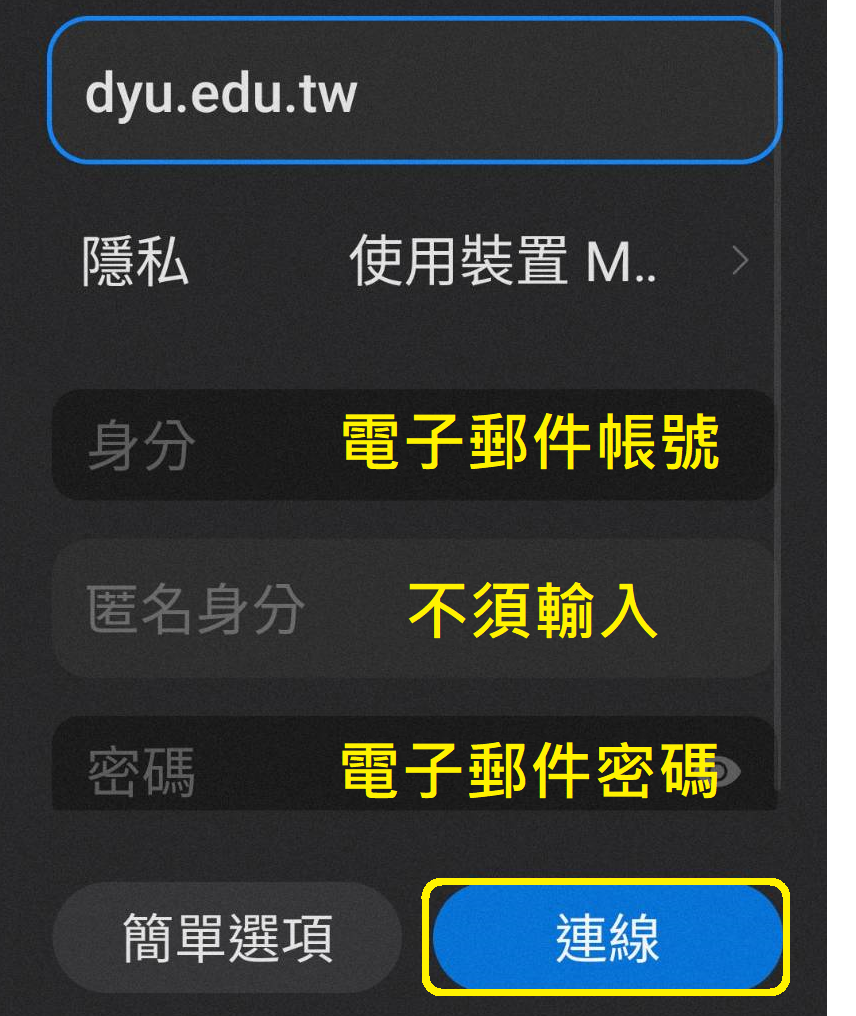
輸入以下資訊:
Enter the following information:
-
身分:
電子郵件帳號(請輸入電子郵件地址中「@」之前的帳號名稱)
Identity:
Email username (Enter the account name before the "@" symbol in your email address.)
-
匿名身分:不須輸入
Anonymous identity: Leave blank
-
密碼:電子郵件密碼
Password: Your email password
點選「連線」。
Tap "Connect."
-
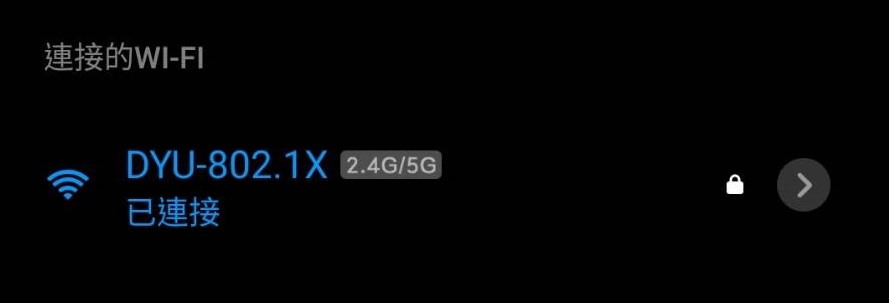
完成連線。
The Wi-Fi connection is complete.
|